


Notta-Transcribe Audio to Text
4.2352.00 Reviews
App Specs
- Version
- 6.79.14
- Updated On
- License
- Free
- Downloads
- 1,000,000+
- Developer
- NOTTA PTE. LTD.
- Categories
- Productivity
- Platform
- Android
Screenshots
 Analysis by AppCompare
When I have a recording to turn into something I can actually use, the hard part is rarely pressing record. It is finding the important details later, checking what was said, and getting a clean version to the people who need it. That is the job I look to Notta-Transcribe Audio to Text for: a productivity app from NOTTA PTE. LTD. that can make spoken material easier to search, review, and share.
Start with the audio you already have
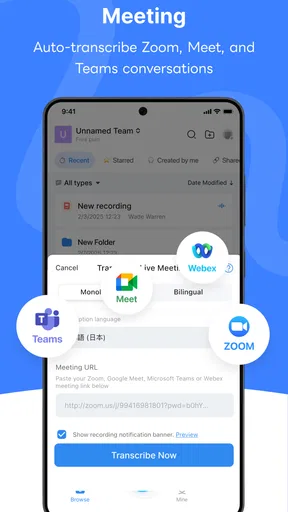
I find a transcription app most useful when I know what I want from the recording before I open it. For a meeting, that might be decisions and follow-up tasks; for a class, definitions and explanations; for an interview, the exact wording of a response. With Notta, I can begin with speech captured on the phone or with an audio file I already have, rather than treating every recording as something I must listen through from start to finish.
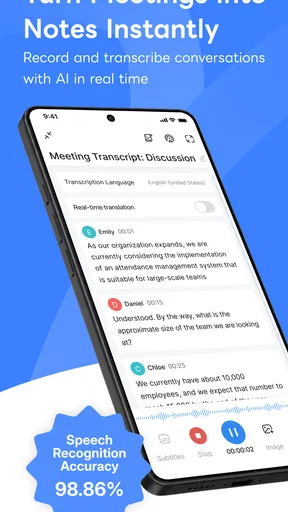
That distinction matters in everyday use. If I am about to have a conversation where taking notes would distract me, real-time transcription gives me a text record to revisit. If I have a voice recording from earlier, importing it lets me work from the existing material. I would choose the second route for a podcast or an interview already saved on my device, and the first for a discussion where I want to keep my attention on the people speaking.
From first pass to usable notes
Once the words are on screen, I treat the transcript as a working draft, not a finished document. I scan for names, numbers, specialist terms, and sentences that sound too polished or too muddled to trust without checking the audio. This is especially worthwhile when several people speak quickly or when a speaker uses vocabulary specific to their field. A transcript can save time, but a quick review is still part of the task.
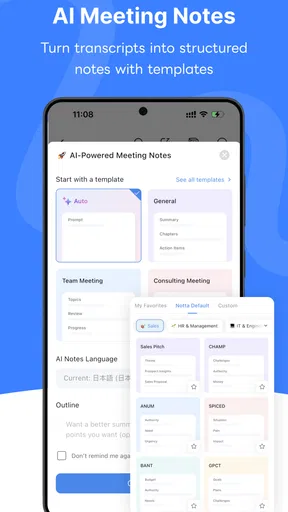
One practical habit is to note the purpose of a recording before reviewing it. If I only need a decision from a long meeting, I can focus on the relevant stretch instead of editing every sentence. For a lecture, I would mark the explanations I expect to study again. The app’s text highlighting and notes can help make that review more deliberate; they are more useful when I use them to identify what matters than when I try to polish every line.
That workflow also sets a sensible limit on what I expect from automatic speech recognition. Accents and background noise did not prevent Notta from getting much of my test audio right, but neither should be treated as a guarantee of a perfect transcript. If a phrase could change the meaning of a client instruction, a quotation, or an assignment, I would replay that part and verify it rather than relying on a plausible-looking line of text.
Handing a transcript to someone else
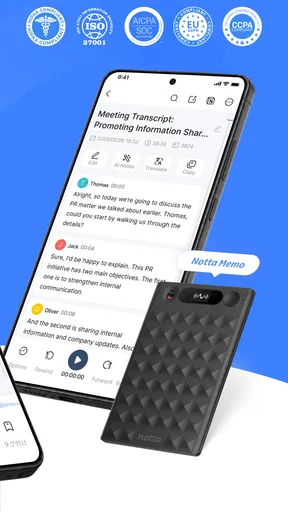
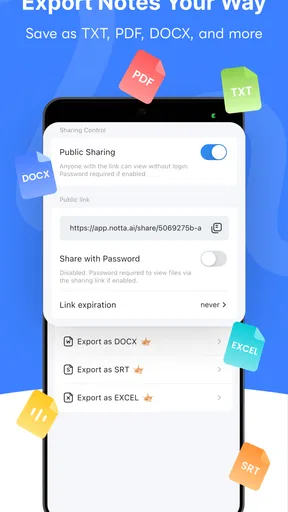
A transcript becomes more valuable when it can leave the app in a form that suits the next person. Notta supports exporting to formats such as PDF or Word, and I can share material through email or messaging apps. That makes it easier to move from personal review to a practical handoff: a colleague can read a document, while someone who needs to edit it can work with a Word file.
Worth Reading Before You Choose

EA SPORTS FC Mobile 26 Is a Bigger Football Game, but It Takes Time

Flipboard Shows What News Apps Must Do Beyond the Feed

Switching to Android Auto Means Rethinking Your Driving Routine

Google Calendar Makes a Crowded Week Easier to Manage

Ludo King Makes the Most of the Minutes Between Plans

Baby Panda World Brings Quick Play to Modern Phones, but Its Game Library Feels Busy
For a team, I would avoid sending a raw transcript as if it were already formal minutes. I would first correct important names and figures, remove sections that are not relevant to the recipient, and add a short note explaining what action is needed. The transcript is a useful source, but the person receiving it may not have the context to distinguish a decision from a passing suggestion.
Cloud syncing can also help when I need access to a transcript beyond the phone. I would use that as a convenience for retrieving or sharing work, not as a reason to skip keeping my files organized. A clear naming habit—such as including the meeting topic and date in the document name—makes a bigger difference over time than accumulating recordings with vague labels.
Where the workflow pays off—and where it needs care
I find this workflow pays off when a recording has enough detail to justify reviewing it, but the transcript still needs a human eye before anyone acts on it. The useful habit is to separate capturing the conversation from deciding what to share: first preserve the source, then check important wording and shape a focused handoff. That also makes it easier to see where the process can become less dependable.
A realistic day with a recording
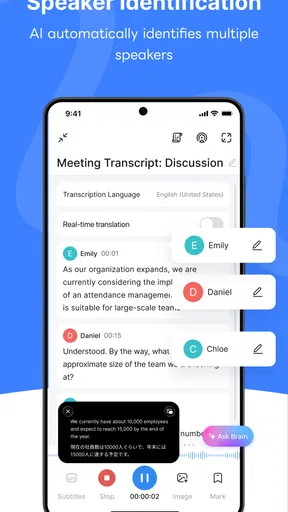
Imagine I leave a planning meeting with several decisions, a few open questions, and no reliable set of handwritten notes. I can use the live transcription to capture the conversation, then review the text afterward while the discussion is still fresh. I would highlight the agreed actions, add a note beside an unresolved point, and check any figure or name against the recording. Before sending the result to the group, I would export a readable version and make clear which items need follow-up.
The value in that scenario is not simply that speech becomes text. It is that I can stay engaged during the meeting and then turn a rough record into something the group can act on. That is a better fit for Notta than expecting it to decide which comments matter or to produce polished minutes without human review.
Who is likely to get the most from it
I would recommend Notta to students who want a text reference alongside lecture recordings, interviewers who need to revisit answers, and people who regularly leave meetings with more spoken detail than they can comfortably write down. It is also useful for anyone who records their own thoughts and would rather scan text than replay a whole voice memo. The app is free to start using, though it also offers in-app purchases, so I would check the available plan details before making it part of a regular paid workflow.
Notta is less compelling if you only record a short reminder now and then. A built-in recorder or a simple note-taking app may be quicker when all you need is a sentence you can listen to later. Likewise, if you need a legally dependable verbatim record, or if every word must be checked before publication, professional human transcription and careful review are safer choices than relying on automated output alone.
How it compares with familiar alternatives
Compared with typing notes by hand, transcription can preserve more of a conversation and spare me the pressure of writing while listening. The trade-off is that I may have to correct recognition errors and trim irrelevant speech afterward. Compared with recording audio and replaying it later, a transcript makes scanning and locating a point easier, but the original recording remains important whenever wording is uncertain.
That makes Notta most useful as a bridge between listening and written work, rather than a replacement for every note-taking method. I would still use a conventional notes app for a quick checklist, and I would still keep the audio when exact phrasing matters. For a conversation with a lot of detail, however, having both a recording and a searchable text draft can be a more workable starting point than either alone.
Small choices that improve the result
Before recording, I try to reduce avoidable distractions: choosing a quieter spot and placing the phone where it can capture the speakers clearly. That will not fix every difficult recording, but it gives transcription a better chance than asking software to untangle distant voices and competing noise. If a meeting has technical vocabulary, I pay extra attention to those terms during the review instead of assuming they were recognized correctly.
I also avoid editing while I am still trying to understand the conversation. First I read through for the broad meaning; then I return to specific passages, check them against the audio, and use highlights or notes to flag decisions and questions. Separating those passes keeps me from spending time perfecting a sentence that turns out not to matter. For a transcript I plan to share, I finish with a quick check of names, figures, and any lines that could be read as a commitment.
Practical limits before you rely on it
Automatic transcription is most vulnerable when the audio itself is difficult: people interrupt one another, speak over background noise, or use unfamiliar jargon. In those situations, a clean-looking transcript can still contain mistakes. I would not treat a transcript as proof of exactly what someone said without checking the recording, especially for sensitive instructions or important decisions.
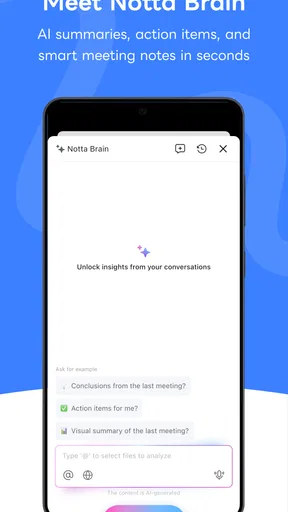
There is also a difference between capturing a conversation and producing a concise summary. A transcript can contain repetitions, false starts, and details no one needs in the final handoff. I still have to decide what belongs in a useful set of notes. That extra judgment is not a flaw unique to Notta; it is simply part of turning spoken material into something another person can act on.
What to expect before installing
The app has a 4.0 average from around 19,000 ratings and has passed one million installs. It is rated for Everyone, and its current version is 6.67.25. On Android, it requires version 8.0 or later. These details make it easy to check basic compatibility, but my choice would still depend more on how often I transcribe and whether I am comfortable reviewing the output.
Because in-app purchases range from $0.99 to $364.99 per item, I would look at the options in the app before relying on a paid feature for ongoing work. The free starting point is useful for trying the workflow, but people who transcribe frequently should compare the plan limits and costs with their actual needs rather than assuming every level of use will remain free.
My take after using it
Getting started with Notta-Transcribe Audio to Text was a breeze. Available on both Android and iOS, the app is quick to download and install. The user interface is clean and intuitive, making navigation almost second nature. I didn't have to fumble around wondering where to go next. Once you fire up the app, you're greeted by a simple dashboard that lets you jump right into transcribing.
Features That Stand Out
Let's talk features, because Notta offers quite a bit. The app supports real-time transcription, which is a game-changer. Imagine sitting in a meeting, and as everyone speaks, their words are magically turning into text on your screen. It's not just cool; it's incredibly useful. Plus, it supports multiple languages, which is super handy if you're dealing with international content.
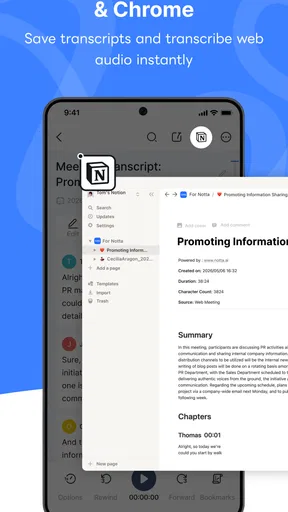
Another highlight is the ability to import audio files. Whether it's a podcast episode or a recorded interview, you can upload it to Notta, and it'll churn out a transcript. I tried this with a couple of my recordings, and the results were impressively accurate. You can even sync your transcriptions with other cloud services like Google Drive, which means your content is accessible wherever you are.
Accuracy and Performance
The big question with any transcription app is always about accuracy. In my tests, Notta delivered more often than not. Of course, no transcription tool is perfect, but Notta does a solid job of getting most of the words right, even with varying accents and background noise. I did notice that the app sometimes struggled with industry-specific jargon, but that's a minor quibble in the grand scheme of things.
Performance-wise, the app is snappy. Transcriptions happen quickly, and the app didn't lag or crash on me, which is always a plus. Battery consumption was reasonable, even during extended use.
Usability and User Experience
What's great about Notta is how user-friendly it is. The interface is minimalistic but doesn't skimp on functionality. Everything is clearly labeled, and the color scheme is easy on the eyes. Editing your transcripts is straightforward, with options to highlight text or add notes. This came in handy during a particularly dense lecture I was transcribing.
Sharing options are robust too. You can export your transcripts in various formats like PDF or Word, making it versatile for different professional needs. Plus, the app allows you to share directly via email or messaging apps. This feature saved me a ton of time when I needed to send meeting notes to my team.
Final Thoughts
All in all, Notta-Transcribe Audio to Text is a powerhouse in the world of transcription apps. It's not just about converting speech to text; it's about doing it efficiently and effectively. If you're someone who deals with a lot of audio content, whether for work or study, this app is definitely worth checking out. It might not replace human transcription entirely, but it gets pretty darn close.
So, if you're tired of scribbling notes or just want a reliable transcription companion, give Notta a whirl. You might just find it becomes an indispensable part of your digital toolkit.
Pros
- Accurate transcription with minimal errors.
- Supports multiple languages seamlessly.
- User-friendly interface for easy navigation.
- Fast processing even for long recordings.
- Integrates well with cloud storage options.
Cons
- Limited free version features.
- Requires internet for most functions.
- Occasional lag with large files.
- Subscription cost may be high for some.
- Limited editing tools post-transcription.
FAQs for Notta-Transcribe Audio to Text
What platforms is Notta-Transcribe Audio to Text available on?
Notta-Transcribe Audio to Text is available on both Android and iOS platforms. Users can download the app from the Google Play Store for Android devices and the Apple App Store for iOS devices. It ensures a wide range of compatibility, accommodating most smartphones and tablets currently on the market.
How accurate is the transcription provided by Notta?
The accuracy of Notta’s transcription can vary based on the quality of the audio input. Generally, it offers high accuracy, especially in clear recordings without background noise. The app utilizes advanced AI technology to improve transcription precision over time, making it a reliable tool for converting speech to text.
Does Notta support multiple languages for transcription?
Yes, Notta supports multiple languages for transcription, catering to a global audience. Users can select from a variety of languages, allowing the app to transcribe audio in their preferred language. This feature is particularly useful for multilingual environments or when dealing with international content.
Is there a limit to the duration of audio that can be transcribed?
Notta may impose limits on audio duration depending on the pricing plan chosen. Free versions often have restrictions on the length and number of transcriptions allowed. To transcribe longer audio files, users might need to upgrade to a premium plan, which offers extended features and fewer limitations.
Can transcriptions be edited within the app?
Yes, users have the ability to edit transcriptions directly within the Notta app. This feature allows for manual corrections and ensures the final text meets user expectations. Editing tools are intuitive and designed to enhance the overall user experience by providing flexibility and control over the transcription process.


